SQLite on Git, Part II: Unlocking Zlib's less known Feature


In the previous post, we followed the white rabbit down into Git's .git folder. We understood: Git uses zlib's deflate algorithm to compress objects.
The Problem: Each range of zlib-compressed data depends on reading all the data before it. A 1Gb sqlite database compressed with zlib must read the whole file to access a single row1.
In this article we're going to build a mental model on how zlib compresses and we're going to use Z_FULL_FLUSH to compress data in a way which is compatible with Git and allows us to random access data in objects stored in git.
What has happened so far
If you're just joining us, here's the quick recap:
- Prologue: We looked at random access, what it is, and why it is essential for running SQLite databases on top of Git's storage
- Part 1: We explored Git's
.gitfolder, learned how loose objects are stored, and discovered thatZ_FULL_FLUSHcould be the key to enabling random access.
Let's look behind the curtain of zlib the compression library used by Git's storage layer and get a step closer to random access.
Understanding sequential compression
Sequential compression is a way of reducing data size where each part depends on what came before it. To read any point, you have to process everything earlier first.
Let's take the following sentence as an example.
Hi beautiful World, how you are doing on this beautiful World, what a beautiful World to live on.
You can express the same text like this:
Hi beautiful World, how you are doing on this [4,15], what a [4,15] to live on
See how the text got smaller by expressing beautiful World by pointing to its first occurrence (character [4,) and its length (15])?
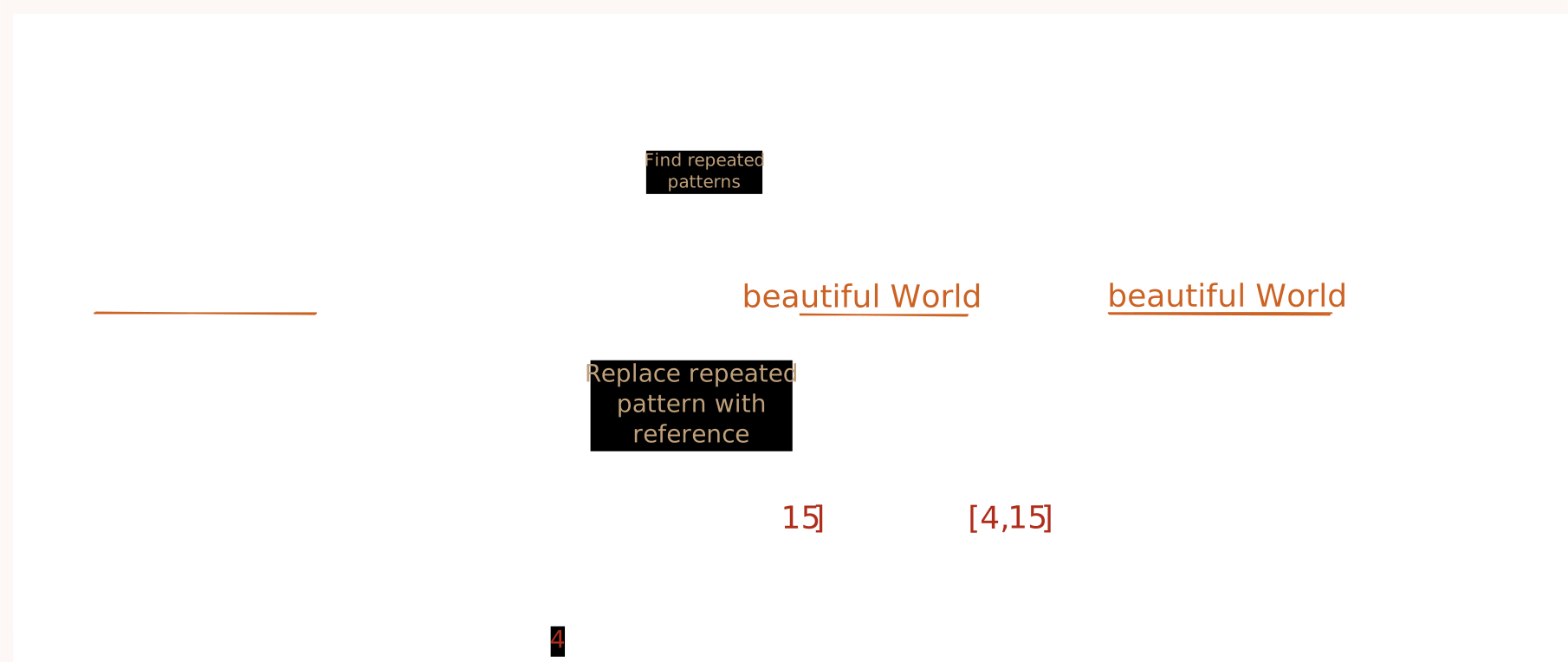

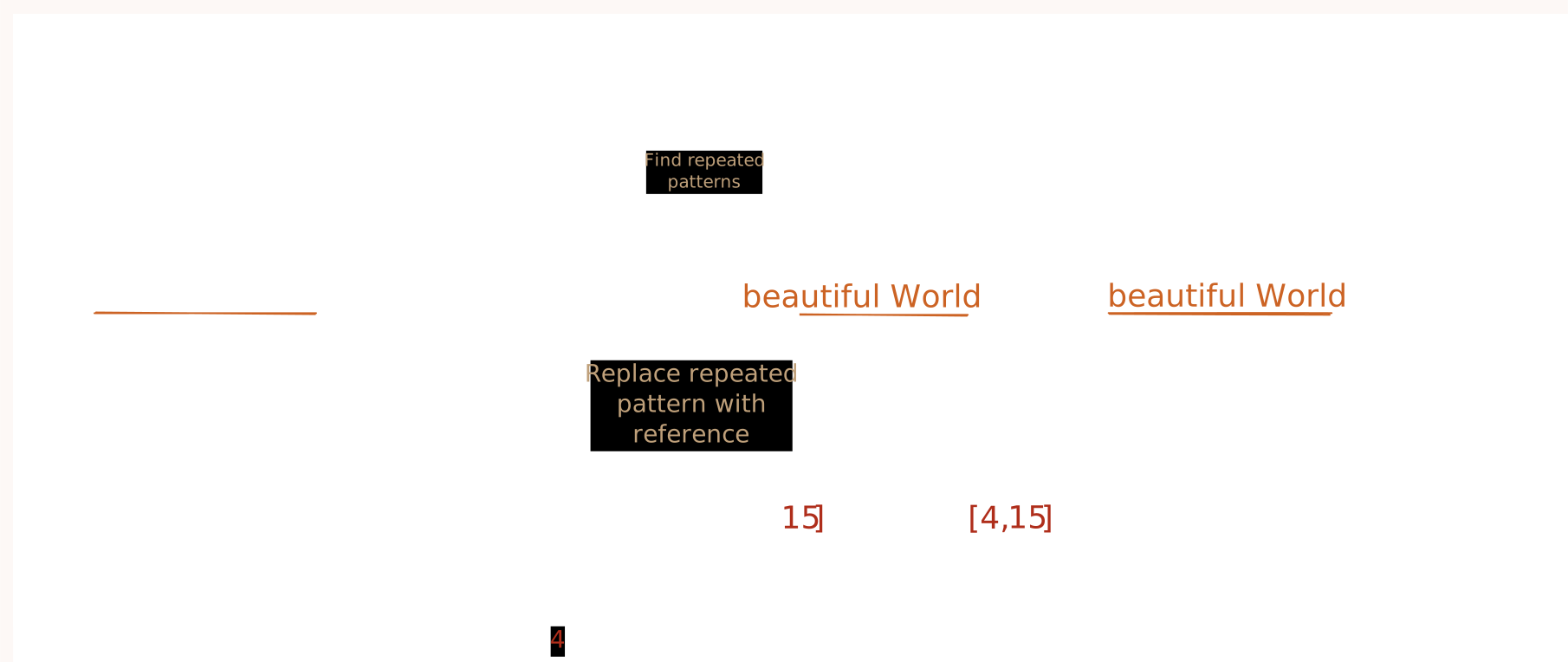

By referencing repetitive sequences of characters, you can reduce the size of the original text while still being able to recreate the original text.
But what happens if I only want to read the part of the sentence after the second ,? Reading what a [4,15] we live in? doesn't make sense - the reference [4,15] is wrong/can't be resolved. To resolve it we have to know Hi beautiful World first - we have to read the whole sentence from the very beginning.


This is - simplified - what zlib does, it reads data coming in, finds repetitive sequences and replaces them with references of previous occurrences.
Okay what is the point - just read the 62 Characters... Remember why we are doing all of this - a sqlite database file can grow over hundreds of megabytes of size - reading just a particular row must not require a read of the whole file.
Note
What I outline here is extremely simplified description of zlib - it should be just enough to follow the article. If you want to understand it better I suggest reading Understanding zlib by Euccas Chen.
Compress in blocks
A common approach to deal with this and allow reading data partially is to not compress the data as a whole. If we define blocks of content that we always want to access independently we can compress each block individually. This ensures later blocks don't reference back to data from previous blocks and we can access the content of those blocks without knowing the other blocks.
Let's take the previous example:
Hi beautiful World, how you are doing on this beautiful World, what a beautiful World to live on.
We can split it up into blocks, let's say a block should be 61 characters we would get two blocks:
Hi beautiful World, how you are doing on this beautiful World
and
, what a beautiful World to live on.
We can now compress each block separately:
Hi beautiful World, how you are doing on this [4,15]
and
, what a beautiful World to live on.
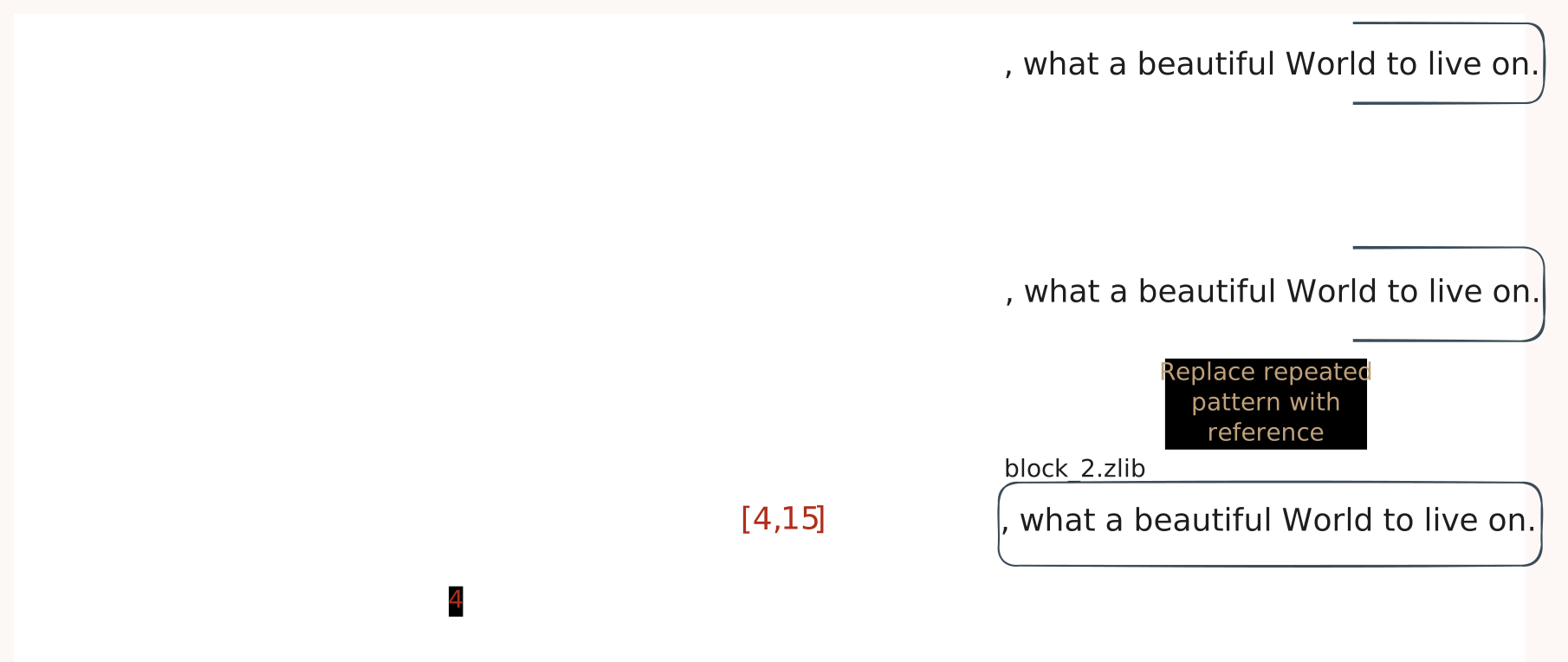

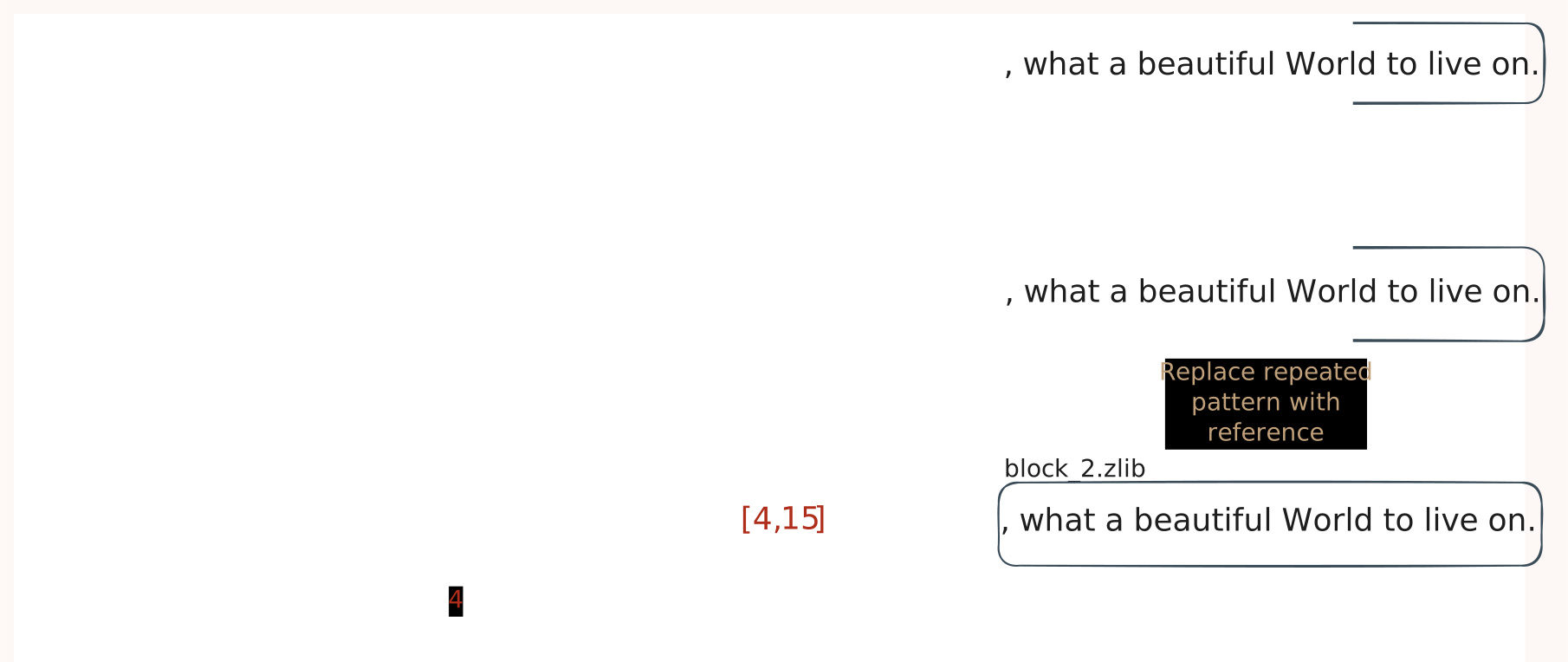

While the compression is not as good as before - we can now independently access the two blocks and read , what a beautiful World to live on. without reading the first part of the sentence.




Funfact: This approach is also used in git itself already and discussed by Linus Torvalds - the the creator himself.
<linus> In particular, while the pack-file is then compressed, it's compressed just one object at a time, so the actual compression factor is less than it could be in theory. But it means that it's all nice random-access with a simple index to do "object name->location in packfile" translation.
Note
the random access that is described here is referring to accessing whole objects in git and won't help us for accessing just parts of the objects.
The problem
If we compress separate blocks we end up having multiple deflated chunks deflate(block1) and deflate(block2), we can't just concatenate those chunks (the approach Linus took when designing the pack file format) because Git wouldn't just magically consume it.
While independent block deflation worked for Linus Torvalds inside of the pack file because he defined the format and controls how it is read - this is not an option for us... we just don't control the binary layout of git's internal files - we have to deal with the format given.
When git inflates the objects it expects one continuous stream and it would refuse to consume our block based deflated data. This is where Z_FULL_FLUSH comes into play.
The Solution - Z_FULL_FLUSH
The Z_FULL_FLUSH allows us to do block based compression within a single compression stream. By passing Z_FULL_FLUSH as the second parameter to the compression algorithm - we can tell Zlib to reset its compression state.
If flush is set to Z_FULL_FLUSH, all output is flushed as with Z_SYNC_FLUSH, and the compression state is reset so that decompression can restart from this point if previous compressed data has been damaged or if random access is desired. Using Z_FULL_FLUSH too often can seriously degrade compression.
It's written in plainsight the flag exists for random access and I was not the first to discover that - as stated earlier I took inspirations from a blog post by Hengs Li Random access to zlib compressed files writing about an approach used by Genomic researchers to access huge files.
Mental model: Passing Z_FULL_FLUSH is like asking Zlib to "Forget everything you have seen before". By doing that Zlib won't back-reference to any data before the Z_FULL_FLUSH was sent.
Let's look at our example a last time.
Block 1: Hi beautiful World, how you are doing on this beautiful World
Block 2: , what a beautiful World to live on.
Instead of deflating them independently - we start deflating Block 1 and when we continue with Block 2 we just pass a Z_FULL_FLUSH together with the data.
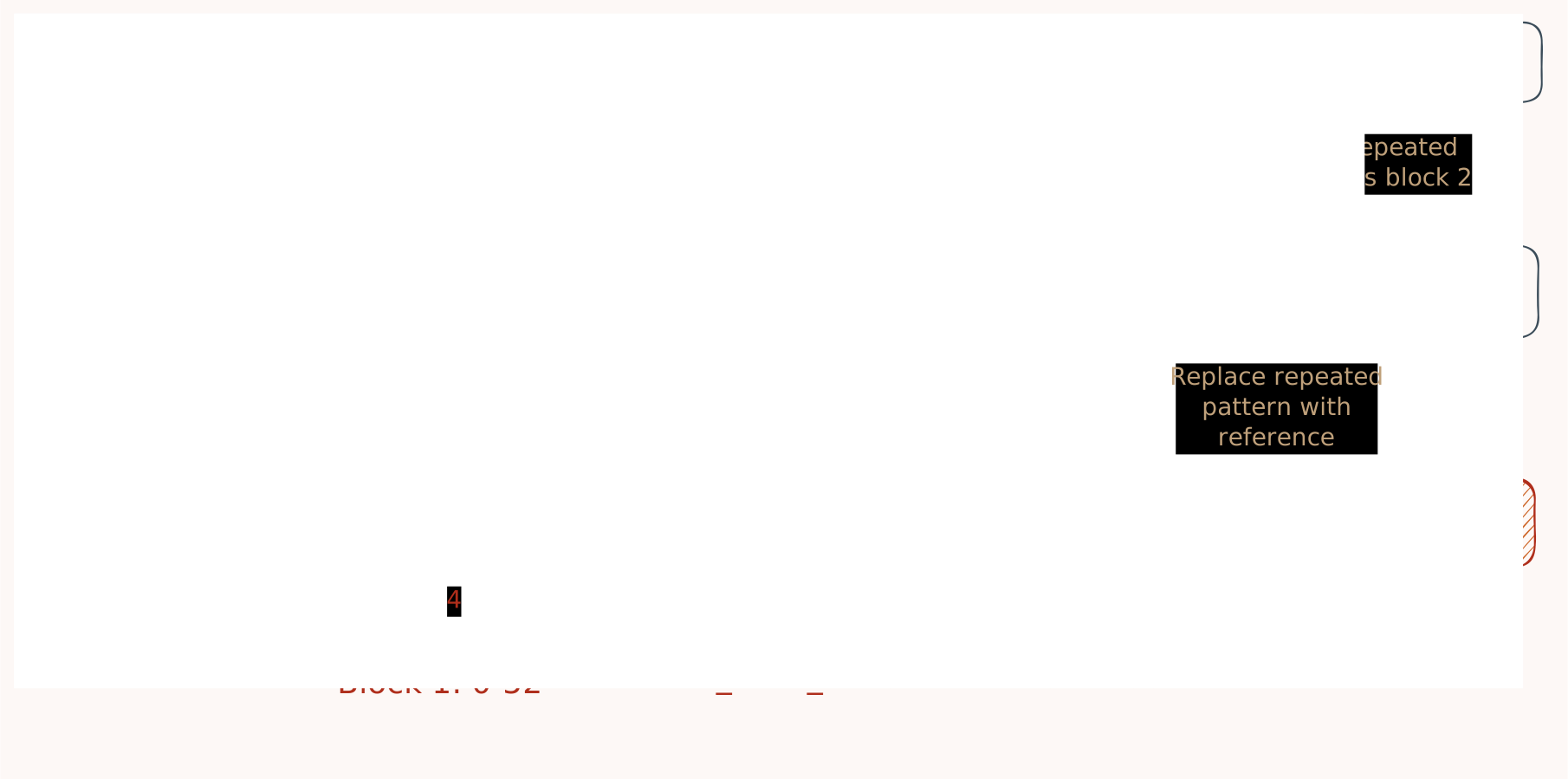
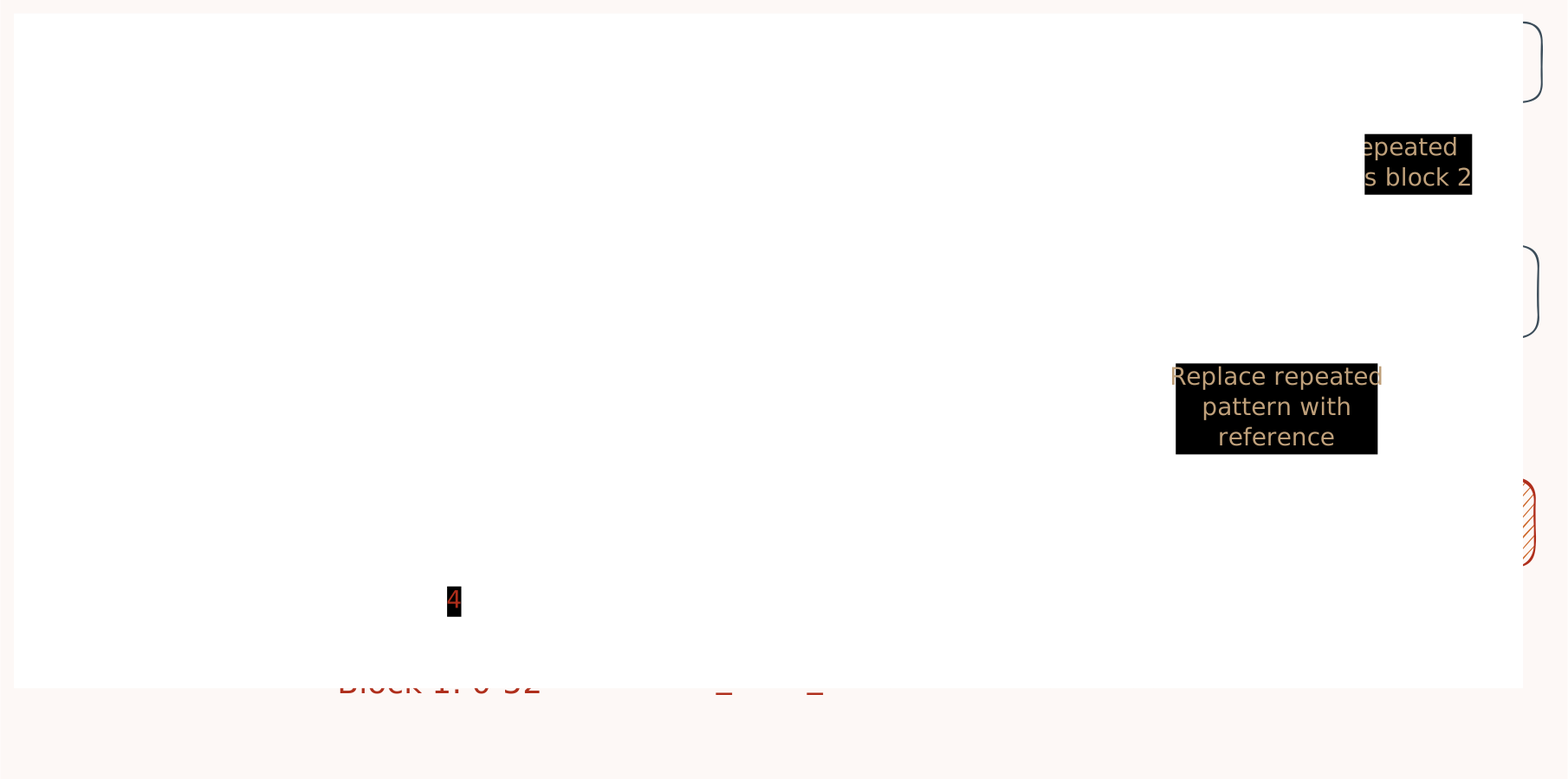
This results in a 100% Zlib compatible continuous compression stream with flushpoints after each block which allows us to access them independently.
We just need to know the end of each block to jump to in the compressed data.




A quick skim through the sources of Git looks promising: https://github.com/git/git/blob/master/git-zlib.c and https://github.com/git/git/blob/master/compat/zlib-compat.h only reference the standard zlib library - as long as the compressed data is zlib compatible Git should be fine with it.
Why this is so great: if we can recompress the objects in git's object store with a flush after every block and git swallows such objects without hiccups we can utilize git's storage - with all its great infrastructure and tooling around it - while being able to read only parts of the objects in random access fashion.
In practice
This sounds too good to be true - totally hooked I took a look at existing zlib libraries in Javascript and found pako. It looked pretty promising but while it allows you to push chunks:
const deflator = new pako.Deflate();

deflator.push("Hello beautiful World, how you are doing on this beautiful World");
deflator.push(", what a beautiful World to live on.");
Z_FULL_FLUSH is not exposed via the given API.
So I extended pako to do just that (compare ChunkBlockDeflate).
To test my hypothesis I wrote a little test in vitest which:
- create a normal git object containing
Hi beautiful World, how you are doing on this beautiful World, what a beautiful World to live on. - read the deflated blob content and inflate it using pako and split the content into
header,block 1andblock 2 - create a ChunkBlockDeflator and push the header, then push block 1, then push block 2 with
Z_FULL_FLUSH - store the deflated result back into the blob
- check if
git cat-filestill reads the object - read the deflated bytes from block 2 and inflate them independently
show me the code
import { describe, it, expect } from "vitest";
import { execSync } from "child_process";

import fs from "fs";
import { tmpdir } from "os";
import { join } from "path";
import * as pako from "pako";
import { BlockInflate, ChunkBlockDeflate } from "@talepack/zlib-random-access";

describe("loose object test", () => {
	it("should create a simple git blob and verify its content", () => {
		// Create a temp dir
		const tempDir = fs.mkdtempSync(join(tmpdir(), "git-simple-test-"));

		try {

			// ------------------------------------------------------------------
			// 1. Create a normal git object containing
            // `Hi beautiful World, how you are doing on this beautiful World, what a beautiful World to live on.`
			// ------------------------------------------------------------------

			// Create a git repo in it using init
			execSync(`git init "${tempDir}"`, { encoding: "utf-8", cwd: tempDir });

			// Create a readme containing "Hi beautiful World, how you are doing on this beautiful World, what a beautiful World to live on."
			const readmePath = join(tempDir, "readme.md");
			fs.writeFileSync(readmePath, "Hi beautiful World, how you are doing on this beautiful World, what a beautiful World to live on.");

			// Use git add to add the readme
			execSync(`git add readme.md`, { encoding: "utf-8", cwd: tempDir });

			// Use `git hash-object readme.md` to get the hash
			const hashOutput = execSync(`git hash-object readme.md`, {
				encoding: "utf-8",
				cwd: tempDir,
			}).trim();
			const blobHash = hashOutput;

			// ------------------------------------------------------------------
			// 2. Read the deflated blob content and inflate it using pako and split the content into `header`, `block 1` and `block 2`
			// ------------------------------------------------------------------

			// Read the compressed blob file content
			const objectPath = join(
				tempDir,
				".git",
				"objects",
				blobHash.slice(0, 2),
				blobHash.slice(2)
			);
			const compressedData = fs.readFileSync(objectPath);

			// Use pako to inflate the blob file into a buffer
			const inflated = pako.inflate(compressedData);
			const inflatedString = Buffer.from(inflated).toString("utf-8");

			// Verify the content matches "blob 12\0hello world"
			// The format is: "blob <size>\0<content>"
			// "hello world" is 12 bytes
			console.log("inflatedString should be: 'blob 97\0Hi beautiful World, how you are doing on this beautiful World, what a beautiful World to live on.'\n", inflatedString === 'blob 97\0Hi beautiful World, how you are doing on this beautiful World, what a beautiful World to live on.', '');
			expect(inflatedString).toBe("blob 97\0Hi beautiful World, how you are doing on this beautiful World, what a beautiful World to live on.");

			const header = inflatedString.split("\0")[0]! + "\0";
			const block1 = inflatedString.substring(header.length, header.length + 61);
			const block2 = inflatedString.substring(header.length +  61);

			expect(header).toBe("blob 97\0");
			console.log("header", header);

			expect(block1).toBe("Hi beautiful World, how you are doing on this beautiful World");
			console.log("block1", block1);

			expect(block2).toBe(", what a beautiful World to live on.");
			console.log("block2", block2);

			// ------------------------------------------------------------------
			// 3. Create a ChunkBlockDeflator and push the header, then push block 1, then push block 2 with `Z_FULL_FLUSH`
			// ------------------------------------------------------------------


			const deflate = new ChunkBlockDeflate({ level: 6 });
			deflate.pushChunk(Buffer.from(header), "this-magic-parameter-comes-later");
			deflate.pushChunk(Buffer.from(block1), "this-magic-parameter-comes-later");
			deflate.pushChunk(Buffer.from(block2), "this-magic-parameter-comes-later", true);

			const deflationInfo = deflate.deflationInfo


			// ------------------------------------------------------------------
			// 4. Store the deflated result back into the blob
			// ------------------------------------------------------------------

			// remove the original blob file to make sure we are not just reading the same file again
			fs.unlinkSync(objectPath);

			// Write the block deflated blob
			fs.writeFileSync(objectPath, deflate.result);
			execSync(`chmod 444 "${objectPath}"`, { encoding: "utf-8" });

			// ------------------------------------------------------------------
			// 5. Check if git still reads the object
			// ------------------------------------------------------------------

			// Verify with git cat-file -p
			const catFileOutput = execSync(
				`git cat-file -p ${blobHash}`,
				{ encoding: "utf-8", cwd: tempDir }
			);

			expect(compressedData.length).not.toBe(deflate.result.length);
			const gitContent = Buffer.from(catFileOutput);
			const gitContentStr = gitContent.toString("utf-8");

			expect(gitContentStr).toBe("Hi beautiful World, how you are doing on this beautiful World, what a beautiful World to live on.");
			console.log("gitContentStr should be: 'Hi beautiful World, how you are doing on this beautiful World, what a beautiful World to live on.'\n", gitContentStr === 'Hi beautiful World, how you are doing on this beautiful World, what a beautiful World to live on.', '');

			// ------------------------------------------------------------------
			// 6. Read the deflated bytes from block 2 and inflate them independently
			// ------------------------------------------------------------------
			const objectFileHandle = fs.openSync(objectPath, 'r');
			const block2Deflated = new Uint8Array(deflationInfo.blocks[2]!.end - deflationInfo.blocks[2]!.start);
			fs.readSync(objectFileHandle, block2Deflated, 0, block2Deflated.length, deflationInfo.blocks[2]!.start);

			const inflatedBlock = BlockInflate.inflateBlockChunk(block2Deflated, {
				deflationInfo: deflationInfo ,
			});


			const block2DeflatedString = new TextDecoder().decode(inflatedBlock as Uint8Array)

			expect(block2DeflatedString).toBe(", what a beautiful World to live on.");
			console.log("block2DeflatedString should be: ', what a beautiful World to live on.'\n", block2DeflatedString === ', what a beautiful World to live on.', '');

		} finally {
			// Clean up temp directory
			execSync(`rm -rf "${tempDir}"`, { encoding: "utf-8" });
		}
	});

});
import { describe, it, expect } from "vitest";
import { execSync } from "child_process";
import fs from "fs";
import { tmpdir } from "os";
import { join } from "path";
import * as pako from "pako";
import { BlockInflate, ChunkBlockDeflate } from "@talepack/zlib-random-access";
describe("loose object test", () => {
it("should create a simple git blob and verify its content", () => {
// Create a temp dir
const tempDir = fs.mkdtempSync(join(tmpdir(), "git-simple-test-"));
try {
// ------------------------------------------------------------------
// 1. Create a normal git object containing
// `Hi beautiful World, how you are doing on this beautiful World, what a beautiful World to live on.`
// ------------------------------------------------------------------
// Create a git repo in it using init
execSync(`git init "${tempDir}"`, { encoding: "utf-8", cwd: tempDir });
// Create a readme containing "Hi beautiful World, how you are doing on this beautiful World, what a beautiful World to live on."
const readmePath = join(tempDir, "readme.md");
fs.writeFileSync(readmePath, "Hi beautiful World, how you are doing on this beautiful World, what a beautiful World to live on.");
// Use git add to add the readme
execSync(`git add readme.md`, { encoding: "utf-8", cwd: tempDir });
// Use `git hash-object readme.md` to get the hash
const hashOutput = execSync(`git hash-object readme.md`, {
encoding: "utf-8",
cwd: tempDir,
}).trim();
const blobHash = hashOutput;
// ------------------------------------------------------------------
// 2. Read the deflated blob content and inflate it using pako and split the content into `header`, `block 1` and `block 2`
// ------------------------------------------------------------------
// Read the compressed blob file content
const objectPath = join(
tempDir,
".git",
"objects",
blobHash.slice(0, 2),
blobHash.slice(2)
);
const compressedData = fs.readFileSync(objectPath);
// Use pako to inflate the blob file into a buffer
const inflated = pako.inflate(compressedData);
const inflatedString = Buffer.from(inflated).toString("utf-8");
// Verify the content matches "blob 12\0hello world"
// The format is: "blob <size>\0<content>"
// "hello world" is 12 bytes
console.log("inflatedString should be: 'blob 97\0Hi beautiful World, how you are doing on this beautiful World, what a beautiful World to live on.'\n", inflatedString === 'blob 97\0Hi beautiful World, how you are doing on this beautiful World, what a beautiful World to live on.', '');
expect(inflatedString).toBe("blob 97\0Hi beautiful World, how you are doing on this beautiful World, what a beautiful World to live on.");
const header = inflatedString.split("\0")[0]! + "\0";
const block1 = inflatedString.substring(header.length, header.length + 61);
const block2 = inflatedString.substring(header.length + 61);
expect(header).toBe("blob 97\0");
console.log("header", header);
expect(block1).toBe("Hi beautiful World, how you are doing on this beautiful World");
console.log("block1", block1);
expect(block2).toBe(", what a beautiful World to live on.");
console.log("block2", block2);
// ------------------------------------------------------------------
// 3. Create a ChunkBlockDeflator and push the header, then push block 1, then push block 2 with `Z_FULL_FLUSH`
// ------------------------------------------------------------------
const deflate = new ChunkBlockDeflate({ level: 6 });
deflate.pushChunk(Buffer.from(header), "this-magic-parameter-comes-later");
deflate.pushChunk(Buffer.from(block1), "this-magic-parameter-comes-later");
deflate.pushChunk(Buffer.from(block2), "this-magic-parameter-comes-later", true);
const deflationInfo = deflate.deflationInfo
// ------------------------------------------------------------------
// 4. Store the deflated result back into the blob
// ------------------------------------------------------------------
// remove the original blob file to make sure we are not just reading the same file again
fs.unlinkSync(objectPath);
// Write the block deflated blob
fs.writeFileSync(objectPath, deflate.result);
execSync(`chmod 444 "${objectPath}"`, { encoding: "utf-8" });
// ------------------------------------------------------------------
// 5. Check if git still reads the object
// ------------------------------------------------------------------
// Verify with git cat-file -p
const catFileOutput = execSync(
`git cat-file -p ${blobHash}`,
{ encoding: "utf-8", cwd: tempDir }
);
expect(compressedData.length).not.toBe(deflate.result.length);
const gitContent = Buffer.from(catFileOutput);
const gitContentStr = gitContent.toString("utf-8");
expect(gitContentStr).toBe("Hi beautiful World, how you are doing on this beautiful World, what a beautiful World to live on.");
console.log("gitContentStr should be: 'Hi beautiful World, how you are doing on this beautiful World, what a beautiful World to live on.'\n", gitContentStr === 'Hi beautiful World, how you are doing on this beautiful World, what a beautiful World to live on.', '');
// ------------------------------------------------------------------
// 6. Read the deflated bytes from block 2 and inflate them independently
// ------------------------------------------------------------------
const objectFileHandle = fs.openSync(objectPath, 'r');
const block2Deflated = new Uint8Array(deflationInfo.blocks[2]!.end - deflationInfo.blocks[2]!.start);
fs.readSync(objectFileHandle, block2Deflated, 0, block2Deflated.length, deflationInfo.blocks[2]!.start);
const inflatedBlock = BlockInflate.inflateBlockChunk(block2Deflated, {
deflationInfo: deflationInfo ,
});
const block2DeflatedString = new TextDecoder().decode(inflatedBlock as Uint8Array)
expect(block2DeflatedString).toBe(", what a beautiful World to live on.");
console.log("block2DeflatedString should be: ', what a beautiful World to live on.'\n", block2DeflatedString === ', what a beautiful World to live on.', '');
} finally {
// Clean up temp directory
execSync(`rm -rf "${tempDir}"`, { encoding: "utf-8" });
}
});
});
inflatedString should be: 'blob 97Hi beautiful World, how you are doing on this beautiful World, what a beautiful World to live on.'
 true
header blob 97
block1 Hi beautiful World, how you are doing on this beautiful World
block2 , what a beautiful World to live on.
gitContentStr should be: 'Hi beautiful World, how you are doing on this beautiful World, what a beautiful World to live on.'
 true
block2DeflatedString should be: ', what a beautiful World to live on.'
 true
The full text being printed by git cat-file followed by the second block being partially inflated showing , what a beautiful World to live on.
WHAAAAAAT? IT WORKS! We successfully recompressed a loose object in a way which 1) is git compatible and 2) allows us to read subsets of the file without touching the rest of the file.
"Down, and down, and down, till she began to wonder if she was going right through the World, so as to come out on the other side!"
This is a good start, now that we can access subsets of the file we need to find a way to give sqlite access to those objects - sqlite can't just read those Git loose objects it expects the content of the sqlite file to be decompressed.
SQLite has the concept of a VFS which allows us to transform data from the format, sqlite expects to the data layout on disc.
In the upcoming article we're gonna find a little bottle labeled "DRINK ME" - we're gonna grow the data back into the format and size so it suits sqlite with the help of a virtual filesystem.